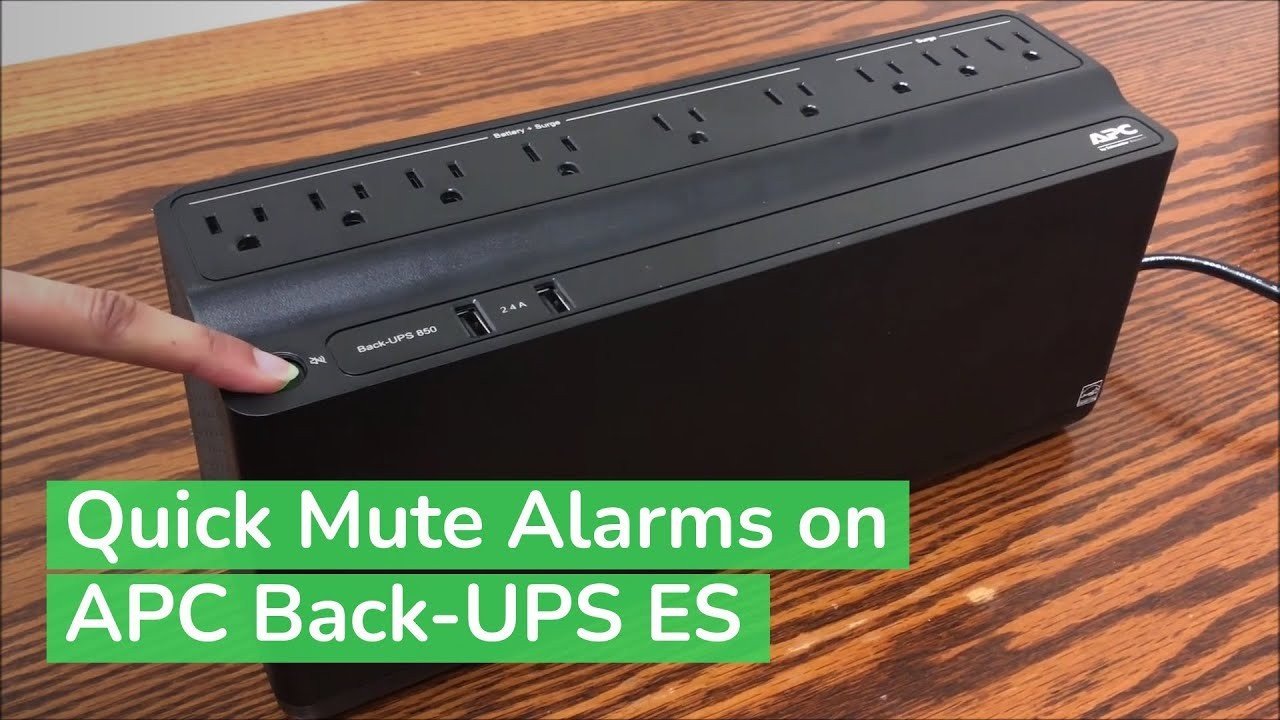
A continuous beep on a UPS battery backup almost always means the unit is running on battery power — either the wall outlet lost power, or the UPS can no longer hold a charge. Most of the time it’s the battery itself, especially if the unit is getting on in years. The fastest check: look at your wall clock or microwave display. If those are also off or blinking, the problem is your building’s power, not the UPS.
Why a battery backup keeps beeping
The beep is a warning, and it’s telling you one of a few things. Ranked by how often each one turns out to be the real cause, here’s what to check.
| Cause | How common | How to confirm it | Fix it yourself? |
|---|---|---|---|
| Battery reached end of life | Very common | Beep continues with wall power on | Yes |
| Wall outlet or breaker lost power | Common | Check clock and other outlets | Yes |
| Overloaded outlets on the UPS | Sometimes | Count devices plugged into battery outlets | Yes with care |
| Battery not fully charged yet | Sometimes | Unit was recently unplugged or new | Yes |
| Loose or dirty battery connection | Less common | Beep stops when you reseat cables | Yes with care |
| Internal charger or circuit fault | Rare | Beeps with a new, charged battery | No |
| Unit has failed self-test | Rare | Test button flashes a fault code | No |
The battery has reached the end of its life
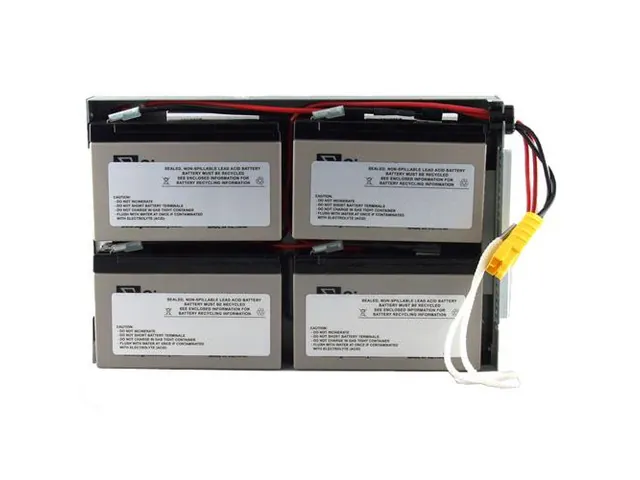
A sealed lead-acid battery inside a UPS has a limited service life, and it gives you warning before it dies. The beep starts because the UPS runs a self-test, finds the battery can’t hold voltage, and alarms. You’ll notice the beep continues even when the wall power is fine — that’s the giveaway.
To confirm it, unplug the UPS from the wall for 10 seconds. If the connected equipment shuts off instantly instead of running for a few minutes, the battery is done. A healthy battery should carry a small load for at least 5 to 10 minutes, depending on the load size and the battery’s amp-hour rating.
The fix is a replacement battery. Match the exact voltage and amp-hour rating printed on the old battery’s label — usually 12V, 7Ah or 12V, 9Ah for home units. Buying the wrong size can damage the charger. Many manufacturers sell replacement batteries directly, and the swap takes about 15 minutes with a screwdriver.
The U.S. Department of Energy publishes general guidance on battery storage and performance.
Your wall outlet or breaker has actually lost power
This is the cause people miss most often, because the UPS is doing exactly what it should. The beep means “I’m running on battery now.” If your building had a brief outage, a tripped breaker, or a loose plug, the UPS will beep every few seconds until power returns or the battery drains.
The one-sentence way to tell this apart from a dead battery: check whether other things on the same circuit are also dead. A lamp, a clock, or a phone charger on a nearby outlet will tell you in seconds.
Walk to your breaker panel and look for a switch that’s tripped — it sits between ON and OFF, not fully to either side. Flip it firmly to OFF, then back to ON. If it trips again immediately, stop and call an electrician; that’s a wiring fault, not a UPS problem.
If the breaker is fine, test the outlet itself by plugging in a small lamp. No light means the outlet is dead. Try a different outlet on a different circuit. Once wall power returns, the UPS should stop beeping within a few seconds and switch back to line power automatically.
The cost here is your time — usually under 10 minutes of checking. No parts needed.
The UPS is overloaded or the battery is still charging
Two quieter causes produce the same continuous beep. The first is overload: you’ve plugged too much into the battery-backed outlets. A UPS rated for 600VA can’t run a gaming PC, two monitors, and a printer at once. When the load exceeds the rating, the unit alarms and may shut down to protect itself.
Count what’s plugged into the outlets marked “Battery Backup.” Move printers, speakers, and lamps to the “Surge Only” outlets — those don’t draw from the battery. A general rule: keep the total load under about 80% of the VA rating printed on the back of the unit.
The second cause is a battery that’s simply not charged yet. A new UPS, or one that’s been unplugged for a while, needs 8 to 24 hours plugged into the wall to reach full charge. During that time it may beep. Leave it plugged in, turned on, with nothing critical connected, and check again the next day.
If the beep continues past 24 hours with a light load and good wall power, the battery or charger is the problem — go back to the first cause.
Rare causes worth knowing about
These come up far less often, but they’re worth a quick mention so you don’t waste time on the wrong fix.
- A failed self-test. Most UPS units run an automatic test every two weeks. If it fails, some models beep until you press the Test or Mute button. Check your model’s manual for the exact button.
- Firmware or logic fault. A power surge can scramble the unit’s internal settings.
- Extreme room temperature. Batteries above 90°F (32°C) age much faster and can trigger alarms. Move the unit out of direct sun or a hot closet.
- A recalled or defective unit. Check the manufacturer’s website for recall notices using your model and serial number.
- Physical damage to the battery. Swelling, cracks, or a white crust on the terminals mean the battery is failing. Don’t handle a swollen battery — take it to a hardware store or recycling center that accepts sealed lead-acid batteries.
Anything past the battery swap — opening the case, testing internal components, or replacing the charger board — is technician work. A UPS holds stored energy even when unplugged, and the internal parts aren’t meant for home repair. Call the manufacturer’s support line or a qualified electronics repair shop.
What fixing it actually takes
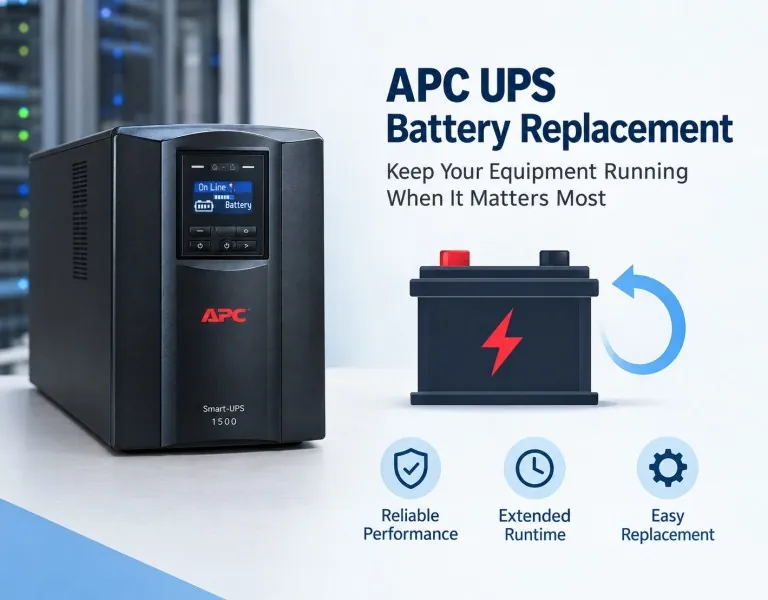
Replacing the battery is the most common fix, and it’s a DIY job for most people. You’ll need a screwdriver, about 15 minutes, and the correct replacement battery. The cost depends on the battery size and where you buy it. Get a real quote from the manufacturer’s site or a local battery store using your exact model number.
A breaker reset costs nothing but your time. An outlet replacement, if the outlet itself is dead, needs an electrician and runs more than a battery but less than a new UPS.
If the internal charger or circuit board has failed, repair usually isn’t worth it. A new UPS in the same class often costs less than the repair, and you get a fresh warranty. Compare the repair quote against a new unit before you decide.
For overload or charging issues, the fix is free — just move some plugs or wait a day. That’s the cheapest outcome, so rule it out first.
Frequently asked questions
Can I just unplug the UPS to stop the beeping?
No — unplugging it makes things worse. The UPS beeps because it’s running on battery, and unplugging removes its only power source. It’ll beep faster as the battery drains, then shut down and take your connected equipment with it. Press the Mute or Alarm Silence button instead if your model has one.
Why does my UPS beep even when the power is on?
The battery has likely reached the end of its life, usually after 3 to 5 years. The UPS runs a self-test, finds the battery can’t hold a charge, and alarms. Unplug the UPS from the wall for 10 seconds — if your equipment dies immediately instead of running a few minutes, the battery needs replacing.
How long should a UPS battery last before it needs replacing?
Most sealed lead-acid UPS batteries have a limited service life. That figure assumes normal room temperature around 70°F (21°C) and regular use. Batteries in hot rooms above 90°F (32°C) can fail in half that time. Check the date sticker on your battery — if it’s older than 4 years, replacement is the likely fix.
Is it safe to keep using a UPS that won’t stop beeping?
It’s safe for a short time, but don’t rely on it. A beeping UPS with a dead battery gives you zero backup — if the power goes out, your equipment shuts off instantly. Replace the battery or the unit before you trust it with anything important, like a desktop PC or a router you need during an outage.
What happens if I ignore the beeping?
The beeping continues until the battery fully drains or you silence it. You lose all blackout protection. More importantly, you’ll have no warning when the real outage hits — your equipment will just shut off, risking data loss on a PC.
Does it matter which outlets I use on the UPS?
Yes — it matters a lot. Only the outlets labeled “Battery Backup” get power during an outage. The “Surge Only” outlets protect against spikes but give no backup. Plugging a printer or lamp into a battery outlet wastes capacity and can trigger an overload alarm. Keep the total load under about 80% of the VA rating.
How do I know if my UPS battery is the problem or the UPS itself?
Swap in a new battery and test. If the beep stops and the unit holds a load for 5 to 10 minutes, the battery was the problem. If it still beeps with a fresh, fully charged battery, the internal charger or board has failed — that’s a technician job, and a new UPS is usually the better buy.
Can a power surge damage my UPS permanently?
Yes, though it’s uncommon. A strong surge can damage the internal charger or control board, leaving the unit unable to charge its battery. The clue is a UPS that beeps continuously even with a brand-new battery installed. Check whether your model has a connected equipment warranty — many cover surge damage if you registered the unit.
Conclusion
A beeping UPS is rarely a mystery once you check three things in order: wall power, battery age, and load. Start with the outlet, because it’s free to check. If power is fine, the battery is almost always the answer — and a 15-minute swap usually ends the noise for good.