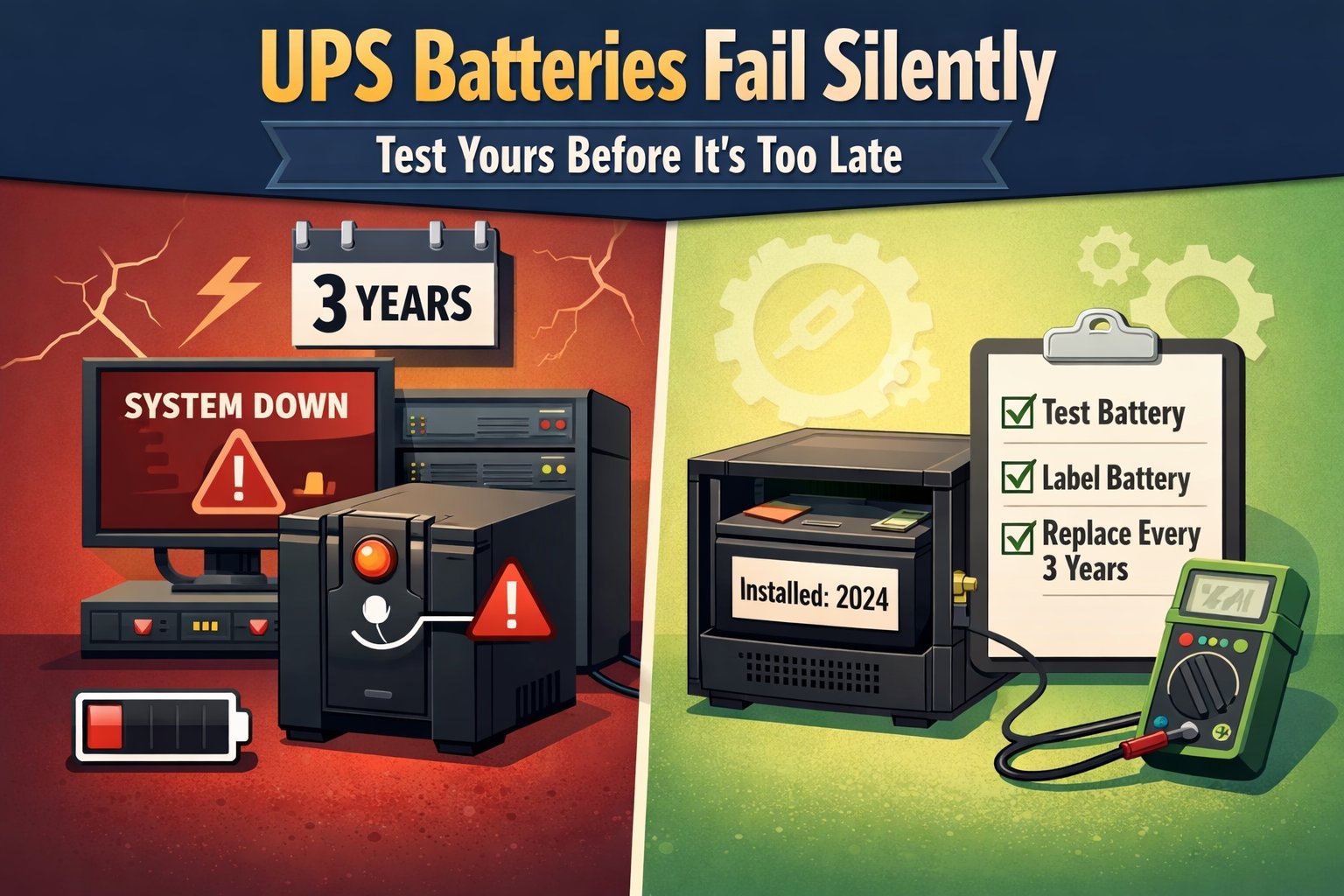
What happens when a UPS battery fails is not an instant power cut. The UPS usually switches to bypass or shuts down after a few seconds to a few minutes, so anything plugged into it loses protection and may lose power completely. How long it holds depends on the load and the battery’s age, and most units start beeping or showing a battery fault light weeks before they give up.
What happens when the battery fails
- A failed battery usually shows up as a beeping alarm, a red battery light, or a runtime that drops from minutes to seconds.
- Most sealed lead-acid UPS batteries last only a few years, but that shortens fast in a hot room — every 15°F above 77°F cuts battery life roughly in half.
- When the battery dies, the UPS may pass raw wall power straight through (bypass), so your gear runs but has zero surge or outage protection.
- A UPS with a dead battery can’t ride out a brownout or outage, so a desktop PC will shut down and you’ll lose unsaved work.
- Test it by pulling the UPS plug from the wall for 10 seconds with your normal load running — if the unit dies immediately, the battery is done.
- Do that test twice a year, and note the runtime each time. A steady slide from 12 minutes to 8 to 4 tells you the battery is aging long before it quits outright.
- Replace the battery, don’t replace the whole UPS, unless the unit is quite old or the charger board is also faulty.
- If the new battery also drains in weeks, the charger is the problem, not the battery. Buying a second battery first is the common mistake, and it costs you the price of a battery you didn’t need.
- On a unit still under warranty, call the maker before you open the case — many will ship a replacement battery free, and opening it yourself can void the coverage.
Why a dead UPS battery stops protecting your gear
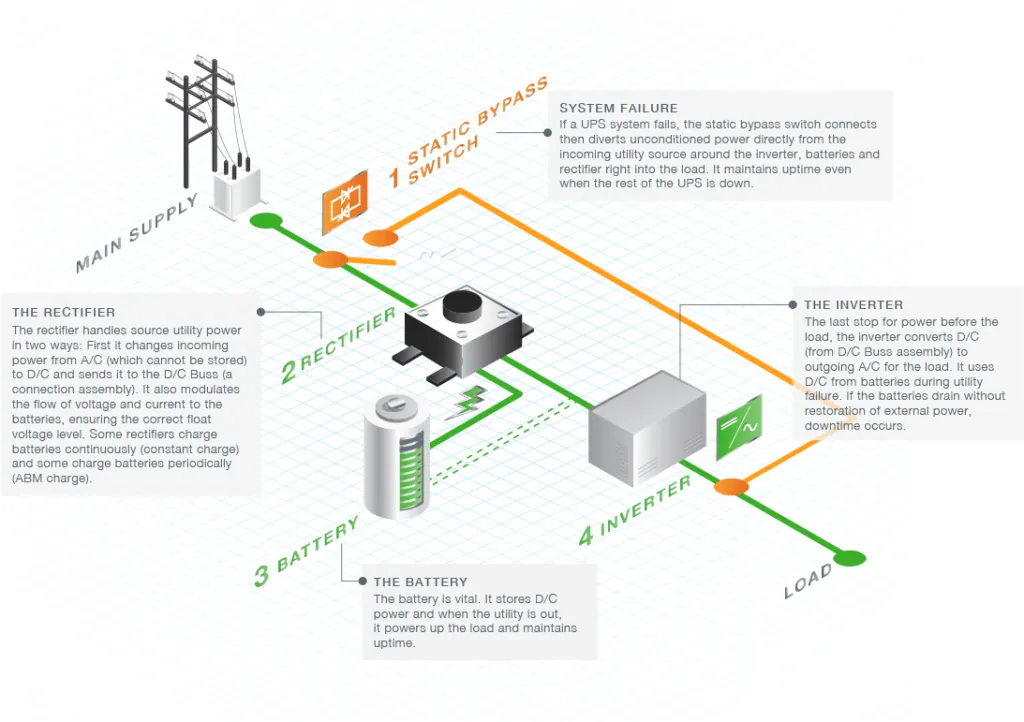
A UPS is a battery plus an inverter plus a transfer switch. The battery is the only part that stores energy. When it fails, the other two parts still work, which is why the unit often looks fine and beeps anyway.
The transfer switch flips the load to battery power the moment wall voltage drops. If the battery can’t hold a charge, that flip has nowhere to send the current. The UPS either drops the load or clicks into bypass mode, feeding the wall outlet straight to your equipment.
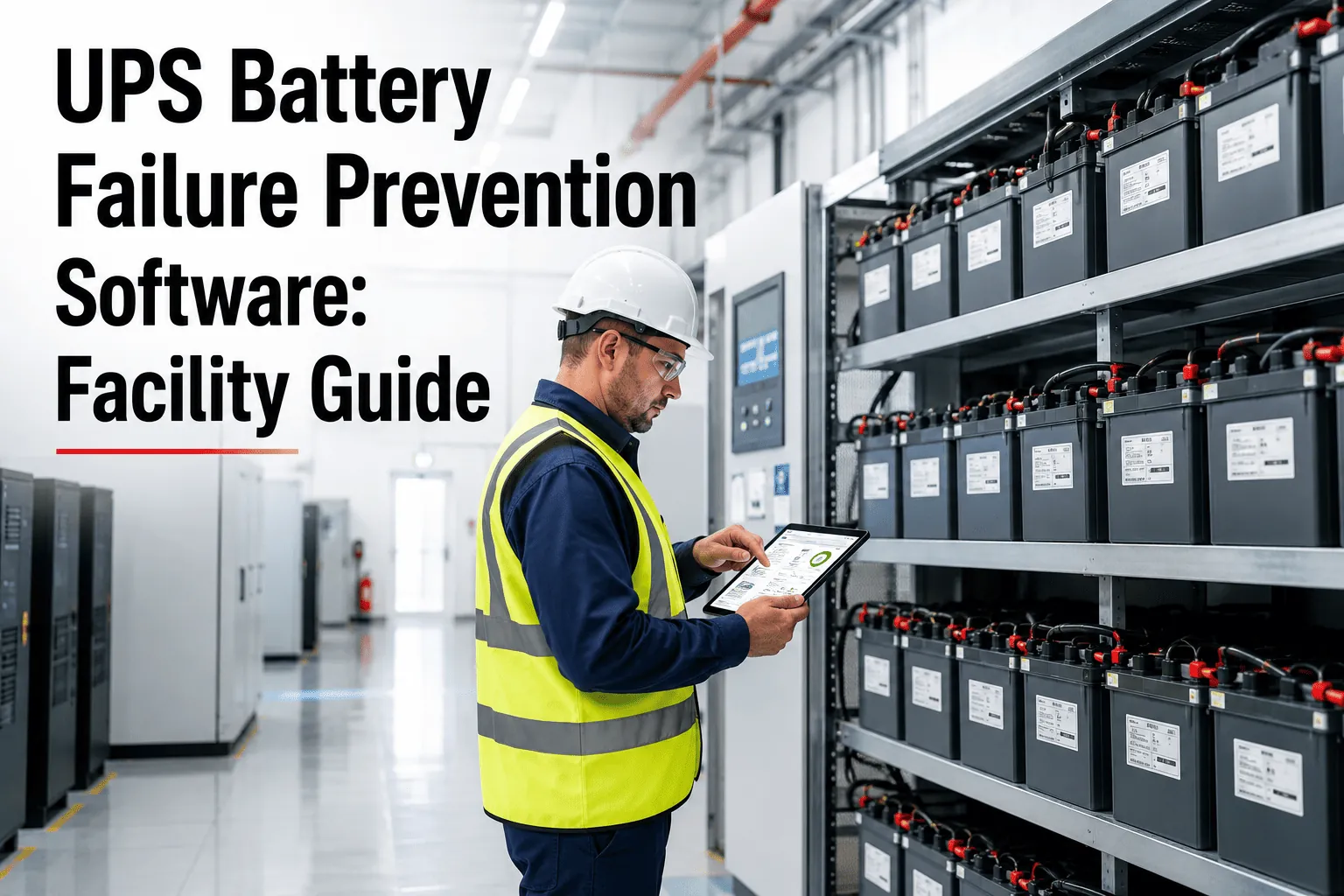
Sealed lead-acid batteries, the type in most home and small-office UPS units, wear out through grid corrosion and electrolyte dry-out. Both happen faster at high temperature. Schneider Electric, which owns APC, publishes a battery replacement guide explaining that heat is the main driver of shortened battery life.
The failure is gradual, not sudden. A battery at 80% capacity still runs your PC for a few minutes. At 20%, it runs for seconds. By the time you notice, the runtime is already gone.
That’s the trade-off with cheap UPS units: the battery is the cheapest part and the first to fail, and an inexpensive replacement restores a unit that still has a good inverter. Buying a whole new UPS costs far more for the same result.
When a UPS battery failure changes the answer
| Situation | What changes | What to do instead | |—|—|—|—| | UPS is under warranty | Opening it may void coverage | Call the maker first | | Load is a gaming PC | Higher draw drains battery faster | Size UPS to 1.5x load | | Room runs above 85°F | Battery ages in 1-2 years | Move UPS to cooler spot | | Unit is over 8 years old | Inverter may also be failing | Replace whole UPS | | Battery is swollen | Leak and fire risk | Stop using, recycle safely | | You need 30+ min runtime | One battery can’t deliver it | Add external battery pack |
Two rows deserve a closer look, because guessing wrong costs you either a warranty claim or a fire.
Warranty first. If yours is inside that window, one phone call usually ships a replacement battery free. Open the case yourself and that call ends in a quote instead.
Swelling is the other one. A battery that has bulged won’t slide out on its own, and prying it’s how people crack a cell. Stop there, unplug the UPS, and take the whole unit to a recycling center that accepts sealed lead-acid.
Runtime is simpler than it looks. A single battery in a desktop-class UPS gives you minutes, not half hours. If you need 30 minutes, you need a second battery, not a bigger one.
How to check and replace a UPS battery
-
Write down your runtime now. Unplug the UPS from the wall with your normal equipment running and time how long it stays on. Anything under 2 minutes on a load that used to run 10 minutes means the battery is failing.
-
Read the model number on the battery. Slide the battery door open or remove the front panel per your manual. The battery label shows voltage and amp-hours — a 12V 7Ah or 12V 9Ah is typical for a 650VA to 1500VA unit. Order an exact match.
-
Power down and unplug everything. Turn the UPS off, pull the wall cord, and disconnect all equipment. Press and hold the power button for 5 seconds to discharge the output capacitors. Never open the inverter housing or touch the large capacitors — those hold a lethal charge even unplugged and are technician-only work.
-
Disconnect the battery terminals. Note which wire goes to red (positive) and which to black (negative). Pull the spade connectors straight off, not sideways, so you don’t crack the terminal.
-
Fit the new battery and reconnect. Push red to positive, black to negative. Tuck the wires so they don’t sit against the case edge. Close the door.
-
Charge for 8 to 24 hours before trusting it. Plug the UPS into the wall with no load attached. Most units need a full charge cycle before the runtime estimate is accurate. A green charge light means it’s charging.
-
Run a load test. Plug your normal equipment back in, then pull the wall cord for 30 seconds. The UPS should hold the load without beeping a fault. If it dies in under 10 seconds, the new battery is either faulty or the charger board is bad.
-
Log the install date. Write the month and year on the battery with a marker.
Mistakes that kill a UPS battery early
-
Leaving the UPS in a hot closet or on a sunny windowsill. Heat above 77°F speeds up the internal corrosion that ends a lead-acid battery’s life, so a unit rated for 5 years can fail in 2. Every 15°F above that mark roughly halves the life again. If the room is too warm for you to sit in comfortably, it’s too warm for the battery.
-
Running a laser printer or space heater on battery-backed outlets. These pull huge surges that stress the battery and inverter, and many UPS makers say not to plug them in at all. Put them on a surge protector instead. A UPS is for the router, the modem, the monitor, and the computer itself.
-
Ignoring the beeping for months. The alarm means the battery is already weak, and every outage after that point is a chance to lose data or damage a drive. Replace the battery within a week or two of the first chirp, not the first failed outage.
-
Replacing the battery but not testing the unit. A bad charger board will kill a brand-new battery within weeks, so always run a load test after install. Pull the wall plug and time how long the unit holds your actual equipment. If it dies in under a minute, the board is the problem, not the battery.
-
Storing a spare battery on a concrete floor for years. Self-discharge and sulfation set in, and a battery sitting unused for 12 months or more may not hold a full charge when you finally need it.
Frequently asked questions
How long does a UPS battery last?
Most sealed lead-acid UPS batteries last a few years at room temperature around 77°F. In a room at 90°F, expect a much shorter life. Check the date sticker on the battery itself — it’s the only reliable way to know its real age.
What happens when a UPS battery fails while my PC is on?
The UPS either drops the load and your PC shuts off instantly, or it switches to bypass and your PC keeps running on raw wall power with no protection. Either way you lose surge protection and outage backup until the battery is replaced.
Can I still use a UPS with a dead battery?
Yes, but only as a surge protector. It won’t keep anything running during an outage. If your area gets frequent brownouts or blackouts, that’s a real risk to hard drives and unsaved work, so replace the battery rather than run it dead.
Is it safe to replace a UPS battery myself?
Yes, for the battery itself. It’s a sealed, low-voltage unit you can swap in 10 minutes with no special tools. Don’t open the main housing or touch the large capacitors inside — those hold a dangerous charge even when unplugged, and that part is a technician’s job.
Why does my UPS beep constantly even when the power is on?
A constant beep with wall power present usually means the battery failed its self-test. Press the test button or check the manual for the alarm code to confirm it’s the battery and not an overload.
How much does a replacement UPS battery cost?
That’s far less than a new UPS, which costs much more for a comparable unit. Check your battery’s label for the exact size before ordering.
What happens if I never replace a dead UPS battery?
The UPS keeps passing wall power through, so it acts like a plain power strip. You get no outage backup and no surge protection, and every blackout becomes a hard shutdown that can corrupt files or damage a drive over time.
Does a UPS battery fail suddenly or slowly?
Slowly, almost always. Runtime drops over weeks or months before the unit gives out. That’s why timing your runtime once a year matters more than waiting for the alarm — by the time it beeps, the battery has usually been weak for a while.
Conclusion
A dead UPS battery is a cheap fix that most people put off until an outage costs them a file or a drive. Check the date on your battery today, time a quick unplug test, and replace it before the next storm season.