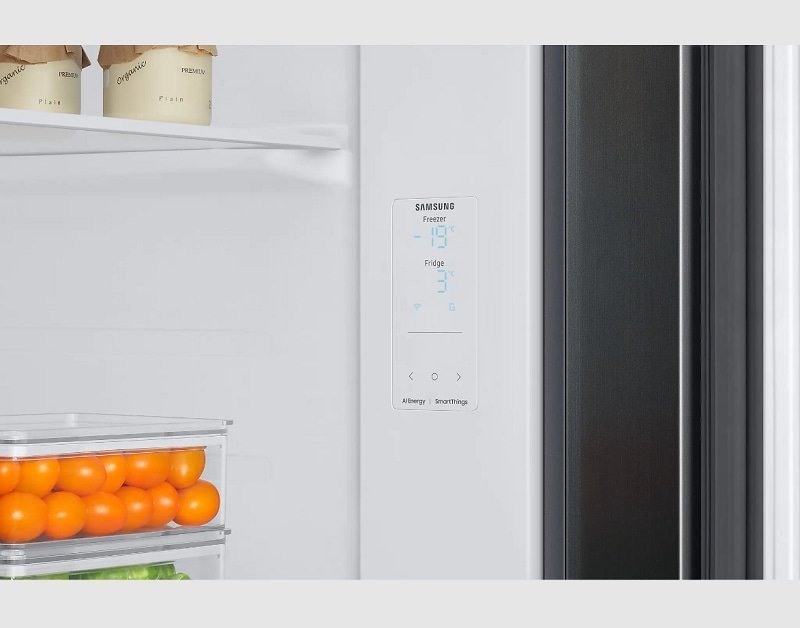
Most of the time, a Samsung refrigerator control panel that won’t respond is locked, not broken. The panel has a child lock or control lock that turns off every touch except the lock button itself. Press and hold the lock button — usually marked with a padlock — for about 3 seconds. If the panel beeps or the lock icon clears, that was it. If nothing changes, the problem is deeper.
Samsung refrigerator control panel not responding causes
The table below ranks each cause by how often it turns out to be the real one. Work down the list — the top two cover most cases. The last column tells you honestly whether this is a job for you or for someone qualified.
| Cause | How common | How to confirm it | Fix it yourself? |
|---|---|---|---|
| Control lock is on | Very common | Lock icon lit on panel | Yes |
| No power to the board | Common | Panel dark, no lights | Yes, with care |
| Panel wet or greasy | Sometimes | Smudges, sticky feel | Yes |
| Door switch stuck open | Sometimes | Interior light stays on | Yes, with care |
| Loose wire connector | Less common | Panel flickers when pressed | Yes, with care |
| Failed touch panel | Uncommon | Lock clears, still dead | No |
| Failed main control board | Uncommon | No lights, no cooling | No |
The control lock is still switched on
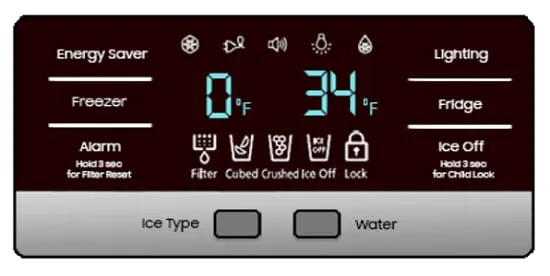
A locked panel ignores every press except the lock button, so the fridge looks dead when it’s just switched off at the panel. On most Samsung models you hold the lock button for about 3 seconds. On some models it’s a combination — often Ice Type and Fridge together, or the two buttons joined by a line. Check the label printed on the panel itself, because the exact pair changes by model.
The confirming test takes 5 seconds. Look at the panel display. A small padlock icon, or the word “LOCK”, means the panel is locked. Press and hold the lock button for 3 seconds. You’ll hear a beep and the icon will clear. If the icon never appeared, this isn’t your cause — move to the next section.
If the lock won’t clear, the touch surface may be the problem instead. Dry the panel with a soft cloth first. Samsung advises cleaning the control panel with a soft, damp cloth and a mild detergent, not a spray straight onto the surface, because liquid can sit in the gaps between the touch keys. Water on the surface can interfere with a capacitive touch panel. Wipe it, dry it, and try the lock again.
Cost in time: under a minute. Cost in money: nothing. This is the one fix that’s free, so always rule it out before you unplug anything.
Power to the board has dropped out
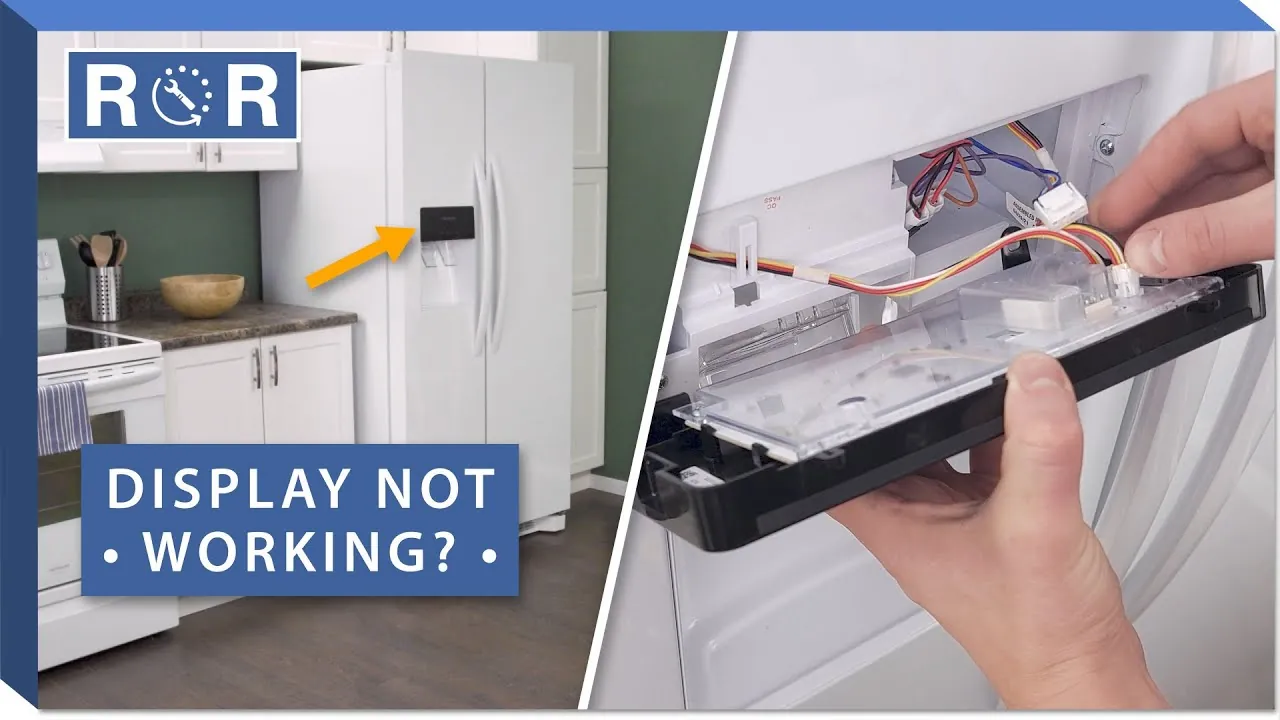
A board that gets no steady power can’t light the panel or read your touch. This is the second most likely cause, and you tell it apart from a lock by one clue: a locked panel still shows the lock icon and the temperature, while a dead board shows nothing at all. No lights, no numbers, no beep.
The check is simple. Press any button. If the interior light comes on when you open the door but the panel stays dark, power is reaching the fridge but not the panel. Unplug the fridge or switch off its breaker for 1 minute, then restore power.
After power returns, the panel usually lights within 10 seconds. Give it a full minute before you judge it. If the panel comes back but locks up again within a day or two, the board is failing and needs a technician.
One safety note: unplugging is the last step you should do yourself. Don’t open the housing behind the panel. A capacitor inside can hold a lethal charge even with the fridge unplugged. That work belongs to a qualified technician.
Moisture or a stuck door switch
A wet panel and a stuck door switch both make the panel act dead, and you can tell them apart by the interior light. If the light stays on with the door shut, it’s the switch.
If the panel is damp or greasy but the light behaves, it’s moisture. This cause is different from a lock because the lock clears when you press it, while moisture and a stuck switch keep blocking input no matter how long you hold the button.
For moisture, unplug the fridge, wipe the panel dry, and leave the door open for 15 minutes to let the surface air out. Then plug it back in. Don’t spray cleaner onto the panel — spray the cloth, then wipe. Liquid that runs into the gaps between touch keys is what causes the fault in the first place.
For a stuck door switch, open and close the door firmly a few times. Listen for a click. If the light stays on after the door is shut for 30 seconds, the switch is stuck or the door is misaligned. Check that nothing — a tall bottle, a shelf lip — is holding the door open a few millimeters. A door that sits open by even a small gap keeps the interior light on and the switch engaged.
If the light still won’t go off, the switch itself needs replacing. That’s a technician job on most models, because the switch sits behind trim that clips off.
Rare causes worth knowing
These come up far less often, but each has one clue that points to it. If you’ve ruled out the lock, the power and the moisture, scan this list.
- A failed touch panel. The lock clears and the display lights up, but touches still do nothing. The glass layer has stopped sensing. This needs a new panel assembly.
- A failed main control board. No panel lights and no cooling at the same time. The board runs both, so a dead board kills both.
- A loose ribbon connector. The panel flickers or works only when you press a certain corner. The connector behind the panel has worked loose.
- A recent power surge. The panel died right after a storm or an outage. Surge damage often takes the board, not the panel.
- A firmware or model-specific quirk. Some Samsung models need a longer press or a specific button pair. The exact method is in your model’s user manual, which you can find on Samsung’s support page for your model number.
The limit is clear here. Everything past the checks above — opening the housing, testing the board, replacing the panel or the switch — is technician work. A capacitor inside can hold a lethal charge with the fridge unplugged, so don’t open it. Call a qualified appliance technician instead.
What a repair usually costs you
Fixing this ranges from free to a real repair bill, and the size depends on which cause you hit. A locked panel costs you nothing but the few seconds it takes to hold the button. A power reset costs a minute of your time. Both are smaller than the effort of defrosting the freezer.
A moisture fix needs a cloth and 15 minutes. A door switch or panel replacement needs a part and a technician’s visit — that’s the bigger end, comparable to what you’d pay for a mid-range appliance repair, not a small parts order. The panel itself is the pricier part; the switch is the cheaper one.
The cost depends on your model, the part, and whether the technician comes to you or you take the fridge in. Get a real quote by giving the technician your model number, found on a label inside the fridge, and describing the exact symptom — dark panel, locked icon, or dead touch. Ask for the part and labor separately. For parts pricing, check Samsung’s official parts page for your model.
Frequently asked questions
Why is my Samsung refrigerator control panel not responding?
The control lock is on most of the time. Hold the lock button — the one with the padlock icon — for about 3 seconds. If the lock icon clears, that was it. If the panel stays dark with no icon, power to the board has dropped and a 1-minute unplug reset is your next step.
Can a Samsung fridge panel be locked without me knowing?
Yes. The lock turns on if the lock button gets pressed and held by accident — a child, a cleaning cloth, or a bag against the panel. The lock icon on the display is your only clue. If you see a padlock, hold that button for 3 seconds to clear it.
How long should I unplug my Samsung fridge to reset the panel?
Unplug it for a minute or two, then restore power and give the panel up to a minute to light up. Restore power and give the panel up to 1 minute to light up.
Is it safe to keep using the fridge if the panel is dead?
Yes, if the fridge is still cold. A dead panel doesn’t stop cooling on most models. Check the temperature with a fridge thermometer — food stays safe at 40°F or below. If the fridge is warming up too, unplug it and call a technician, because the board runs both.
What happens if I press the panel while it’s wet?
Nothing good. Water on a touch panel blocks the sensors, so presses don’t register, and liquid can seep into the gaps between the keys. Unplug the fridge, wipe the panel dry with a soft cloth, wait 15 minutes, then plug it back in and try again.
Does a power surge damage the Samsung control panel?
Sometimes. A surge often takes the main board rather than the panel, which shows as no panel lights and no cooling at the same time. If the panel died right after a storm or an outage, that points to surge damage. A technician needs to test the board.
How much does it cost to fix a Samsung fridge control panel?
It depends on the cause. A lock or a reset costs nothing. A panel or switch replacement needs a part plus labor, which is the bigger end of appliance repairs. Get a quote with your model number and the exact symptom, and ask for parts and labor priced separately.
Can I replace the control panel myself?
No — not safely. The panel sits behind trim, and the board behind it holds a capacitor that can keep a lethal charge even with the fridge unplugged. Replacing the panel or the board is technician work. Your own checks stop at the lock, the power, the door and cleaning.
Conclusion
A Samsung panel that won’t respond is usually locked, and that fix takes 3 seconds. Work down the list — lock, power, moisture, door switch — before you call anyone. Once you’re past those checks, the work belongs to a technician, and knowing where to stop keeps you safe and saves you money.