A ceiling fan remote usually resets with a short power cut, not a button. Turn the wall switch off for 30 seconds, turn it back on, then hold the remote’s Learn or Pair button (often in the battery tray) for 3 seconds within 60 seconds of power returning. This method suits any fan whose remote lost its pairing after a power outage, a battery change, or a new remote. Check your fan’s manual for the exact button name, since brands differ.
What you’ll need before you start
Gather everything before you touch the switch. A reset takes minutes, but a missing item means a second trip up the ladder or a second power cycle.
- A step stool or ladder tall enough to reach the fan’s receiver unit, usually mounted in the ceiling canopy. A chair won’t do — you need both hands free.
- The fan’s original manual (paper or the brand’s PDF). Button names, dip switch layouts, and reset codes vary by model, and guessing wastes a cycle.
- Fresh batteries in the correct size for your remote — most take two AAA or one 12V A23. Weak batteries cause pairing to fail even when everything else is right.
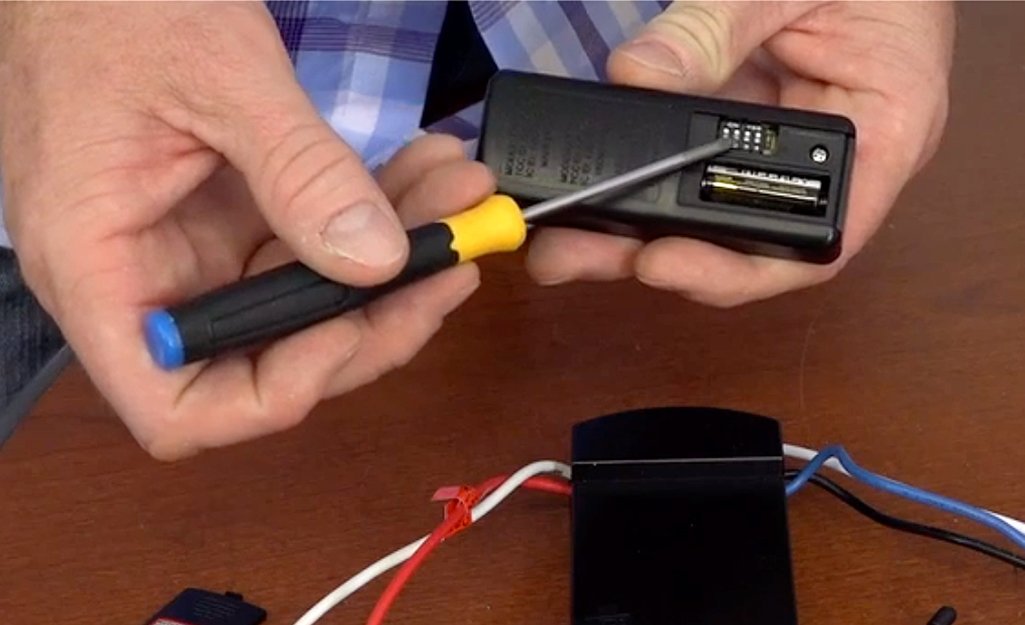
- A small flathead screwdriver for the remote’s battery tray and, on some models, the receiver’s dip switch cover.
- Your phone’s camera to photograph the dip switch positions before you change anything. This one habit saves hours.
- The wall switch location, confirmed. Some fans have two switches — one for the light, one for the fan. You need the fan’s.
- A partner if your switch panel isn’t labeled. One person flips breakers while the other watches the fan.
A universal remote can replace a lost original on many fans, but it won’t work on models with dip switches set to a fixed code you can’t see. If your fan is hardwired with no wall switch, stop here and call a licensed electrician — the receiver needs power cycling at the breaker, and that’s their job, not yours.
How to reset a ceiling fan remote step by step
-
Turn the fan off at the wall switch and wait 30 seconds. This cuts power to the receiver so it restarts. If your fan has no wall switch, flip the correct breaker instead — and tell everyone in the house first.
-
Turn the power back on. You now have about 60 seconds to complete the pairing. Most receivers only listen for a remote signal during this window. Miss it and you’ll repeat step 1.
Tip: Work with the remote already in your hand before you flip the switch. Sixty seconds goes fast when you’re climbing a ladder.
-
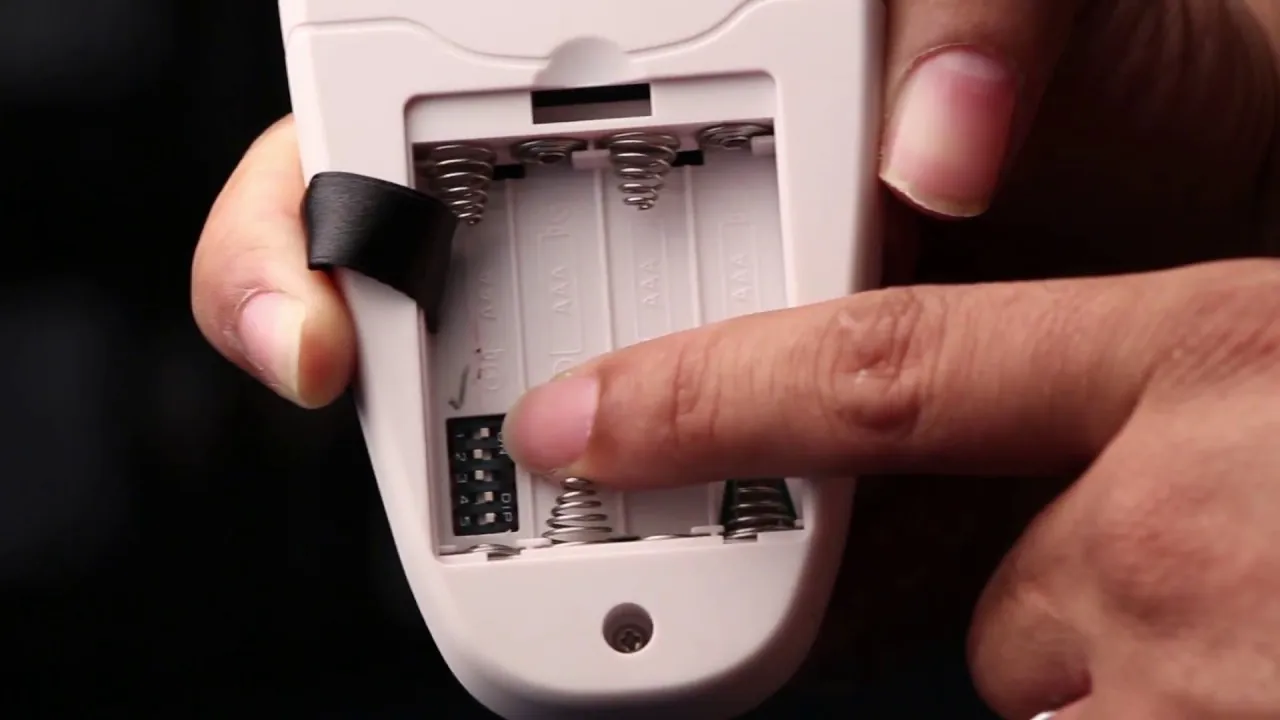
Open the remote’s battery tray and find the reset button. On most brands it’s a small recessed button labeled Learn, Pair, Set, or Code. On others, you hold two buttons at once — check your manual for which.
-
Press and hold the reset button for 3 seconds. Release when the remote’s LED blinks or stays solid. If nothing lights up, your batteries are the problem — swap them before trying again.
-
Press any fan button — usually the fan speed or light button — within 60 seconds. The fan should beep, click, or start moving. That sound or movement means the receiver accepted the new code.
Careful: If the fan beeps but doesn’t respond to speed changes, the remote paired with the receiver but the receiver isn’t getting clean power. Check the receiver’s wire connections inside the canopy before you reset again.
-
If your fan uses dip switches, match them now. Open the receiver’s cover and the remote’s tray. Both should show the same on/off pattern across 4 or 5 switches. Change one switch on the remote, change the same one on the receiver.
-
Test every function. Run low, medium, and high speed. Turn the light on and off if you have one. Test the reverse switch if your remote has it. A function that fails now will fail later.
-
Close everything up and restore the breaker. Snap the battery tray shut, screw the canopy cover back, and reset any breakers you flipped. Label the breaker while you’re there.
If your fan is a newer model with a wireless module that pairs over an app, follow the app’s own pairing flow instead — the physical steps above don’t apply, and the app usually walks you through it in under two minutes. For fans mounted higher than 10 feet, hire a handyman for the physical work. Ladder falls from that height send people to the hospital, and no remote is worth that.
How the reset changes with your setup
The steps stay the same, but the time and the risk shift depending on your fan. Here’s what changes.
| Your situation | Time it takes | What’s different | What to watch |
|---|---|---|---|
| Standard fan with wall switch | 5-10 minutes | Simplest case — switch controls everything | The 60-second pairing window |
| Fan on a breaker only | 10-20 minutes | You’re walking to the panel and back | Telling others before you cut power |
| Dip switch model | 15-30 minutes | You’re opening the canopy and matching codes | Photograph the switches first |
| Universal replacement remote | 10-20 minutes | You’re programming a new code, not resetting | Some codes won’t match your receiver |
| Fan over 10 feet high | 20-40 minutes | Ladder work adds real risk | Get help or hire someone |
| Smart fan with app pairing | 2-5 minutes | No physical reset button at all | App must be updated first |
Start with the simplest reset — power cycle and re-pair — before you open anything. You can always add steps, but you can’t undo a stripped screw or a cracked canopy. Small moves first, bigger moves only if the small ones fail.
How to tell the reset worked
A good reset looks quiet and boring. The fan responds to every button on the first press, the light dims smoothly if it’s dimmable, and the beep or click happens once, not repeatedly. Speed changes feel instant. Nothing flickers.
A poor reset shows up in small ways. The fan responds sometimes but not always. The light flickers when you change speed. The remote works from one spot in the room but not another. Or the fan beeps every few seconds on its own — a sign the receiver is picking up a signal it shouldn’t.
The quality problem this job is prone to is a weak pairing, where the receiver and remote connect but the signal is fragile. It happens when the receiver learns the code while its power is still unstable. Three things prevent it: waiting the full 30 seconds before restoring power, holding the reset button for the full 3 seconds, and using fresh batteries so the signal is strong during pairing.
If you’ve reset three times and the fan still ignores the remote, the problem isn’t the pairing. It’s the receiver, the remote, or the wiring — and those need a different fix.
Codes, standards, and what to do after
Ceiling fan remote systems sold in the US fall under FCC rules for unlicensed radio devices, and the receiver module carries an FCC ID you can look up in the FCC’s equipment database to confirm it’s legal and to find its operating frequency.
That matters if you’re buying a replacement remote — a remote on a different frequency won’t pair, no matter how many times you reset. The FCC doesn’t publish a “correct” reset procedure; that comes from your fan’s manufacturer, and their manual is the only source that’s right for your model.
After the reset, clear the area under the fan of anything breakable, since a fan that suddenly starts on high can knock things off shelves. Save the remote’s code — photograph the dip switches or write the code in the manual — so the next reset takes half the time. Put the ladder away and restore anything you moved.
How long the fix lasts depends on your power. A fan in a house with stable power can hold its pairing for years. A fan that loses power often — storms, tripped breakers, a switched outlet — may need a reset every few months.
If that’s your situation, a whole-house surge protector or a battery backup for that circuit cuts the resets down. For anything involving the breaker panel, the wiring inside the canopy, or a fan you can’t safely reach, call a licensed electrician.
Other ways to fix a dead remote
Replace the remote entirely
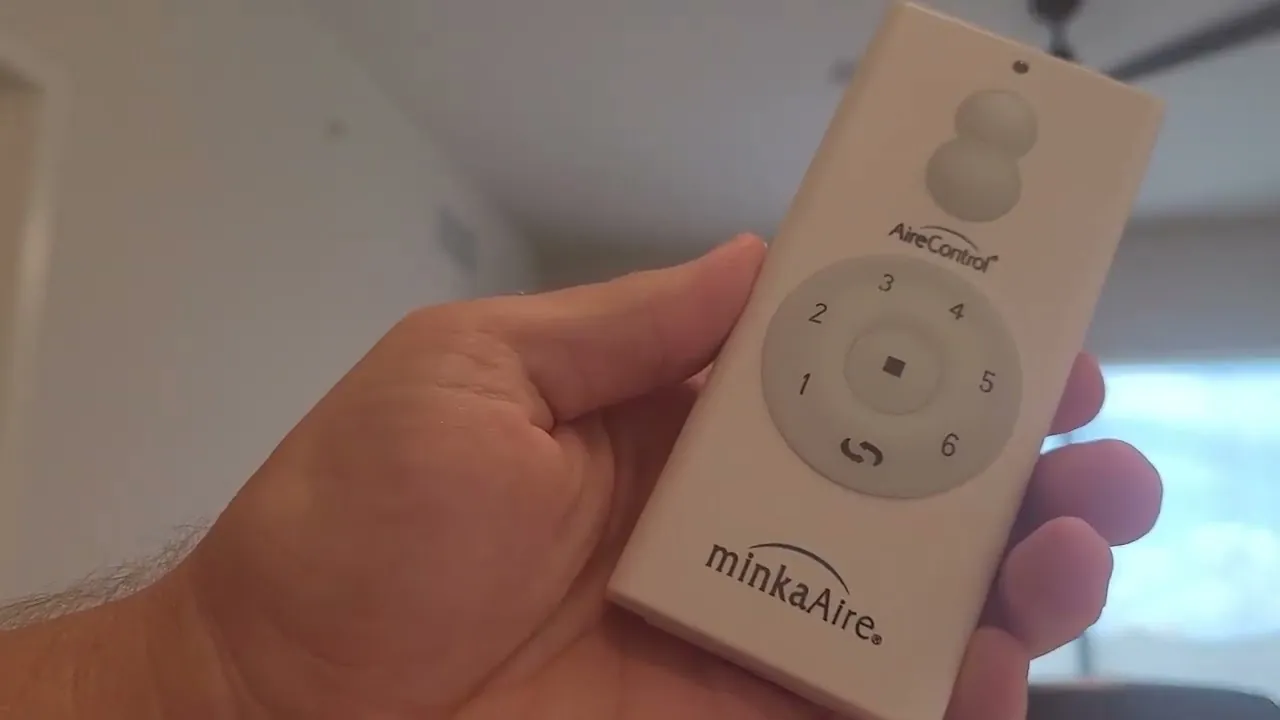
If the original remote is lost or water-damaged, a universal ceiling fan remote can pair with many receivers in about 10 minutes. You’ll cycle power, enter a code from the remote’s list, and test. The catch: universal remotes only work if your receiver is compatible, and older dip switch models often aren’t. Check the receiver’s model number before you buy.
Reset the receiver instead of the remote
On fans where the remote has no reset button, the reset happens at the receiver. You’ll cut power, open the ceiling canopy, and press the receiver’s own Learn button for 3 seconds, then re-pair. This takes 20-30 minutes with ladder work, but it’s the only option on those models. Photograph the wiring before you disconnect anything.
Call a fan technician or electrician
When the fan is high, hardwired, or the receiver is clearly dead, a pro handles it in one visit. Expect a service call fee plus parts, and rates vary a lot by region — get a quote first. This is the right call when you’ve reset twice with no result, when you smell burning, or when the fan hums but won’t spin.
Frequently asked questions
How long does it take to reset a ceiling fan remote?
About 5 to 10 minutes for a standard fan with a wall switch, including the 30-second power-off wait and the 3-second button hold. Add 10 to 20 minutes if you’re walking to a breaker panel, and 15 to 30 minutes if you’re opening the canopy to reach dip switches or a receiver button.
Can I reset a ceiling fan remote without the manual?
Often yes, if the remote has a visible Learn or Pair button. Press it for 3 seconds right after restoring power. If your remote has no such button, you need the manual to know which two buttons to hold together — guessing can lock the remote into a service mode that’s harder to exit.
Why won’t my ceiling fan remote pair after a new battery?
Two common reasons. First, the pairing window closed — most receivers only listen for about 60 seconds after power returns, so you must cycle the power again and press the reset button fast. Second, the new battery is the wrong voltage or seated backward. Check the tray’s + and − marks.
Is it safe to reset a ceiling fan remote myself?
Yes, for the remote and the wall switch — the remote is low-voltage, and a wall switch is safe to operate normally. It stops being a do-it-yourself job the moment you open the breaker panel, remove the ceiling canopy, or work on a fan more than 10 feet up. Those steps carry shock and fall risks, and a licensed electrician handles them.
What happens if I reset the remote and it still doesn’t work?
The pairing isn’t the problem. Either the receiver module has failed, the remote’s transmitter is dead, or the wiring inside the canopy has come loose. Test with a second remote if you have one — if that also fails, the receiver is the likely culprit and needs replacing.
How often should I reset a ceiling fan remote?
Only when it stops responding — there’s no maintenance schedule. In a home with stable power, a pairing can last years. If your fan loses power often, expect to reset it every few months, and consider a surge protector on that circuit to reduce how often it happens.
Do all ceiling fan remotes have a reset button?
No. Many have a Learn button in the battery tray, some use a two-button hold, some reset only at the receiver inside the canopy, and smart fans reset through their app. If you can’t find a reset button anywhere, your manual is the only place that names the correct method for your model.
Conclusion
A reset fixes a lost pairing, not a dead receiver or a loose wire. Run the simple power-cycle-and-pair first, give it two honest tries, and if the fan still ignores you, the problem is hardware — and that’s when a technician earns their fee.