
Most of the time, a Kenmore oven control board not working is a power problem, not a dead board. The display is dark or frozen because the oven lost its supply, not because the electronics failed. In many cases the fix is at the breaker or the outlet. Confirm it fast: check the breaker, then check whether the outlet has power. If both are fine, the board itself is the likely cause.
Why a Kenmore oven control board fails
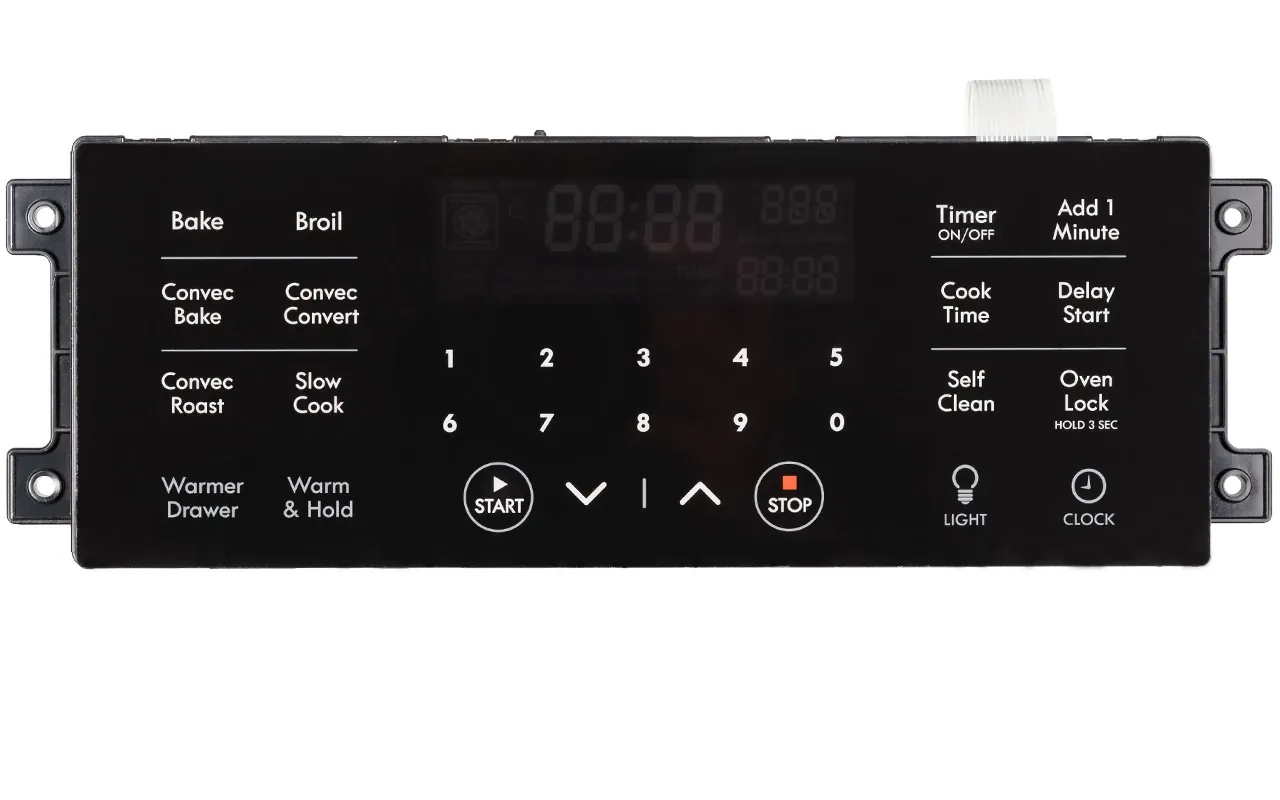
Power problems come first, but the board, the touch panel, and the wiring all fail too. The table below ranks each cause by how often it turns out to be the real one. Work down the list instead of guessing.
| Cause | How common | How to confirm it | Fix it yourself? |
|---|---|---|---|
| Tripped breaker or blown fuse | Very common | Breaker is off or fuse is blown | Yes |
| Dead wall outlet or bad cord | Common | Outlet has no power with a lamp | Yes with care |
| Failed control board | Common | Board gets power but stays dead | No |
| Faulty touch panel or membrane | Sometimes | Buttons don’t respond, display works | No |
| Loose or burnt wire harness | Sometimes | Burnt smell, loose connector at board | No |
| Oven in lockout or demo mode | Less common | Display shows LOC or odd symbols | Yes |
| Failed thermal fuse | Less common | No power at all, fuse reads open | No |
The last three rows need a technician. A thermal fuse and a wire harness sit behind the housing, so those repairs belong to a technician.
Safety: Inside a mains-powered machine, the parts behind the outer cover can hold a dangerous electrical charge even after it has been unplugged — that’s why they sit behind a cover. Opening the housing, or testing or replacing anything behind it, is a job for a qualified technician, never a home repair.
Start with the breaker and the outlet
A tripped breaker is the single most common reason a Kenmore oven goes dark, and it costs nothing to check. The oven pulls a lot of current, so a weak breaker or a shared circuit trips before anything inside the oven fails. Before you touch the oven, look at your home’s breaker panel and find the double-pole breaker marked for the range.
Confirm it step by step. First, switch that breaker fully to OFF, then firmly back to ON. A breaker that looks on can still be tripped. Second, check whether the display lights up within about 30 seconds. Third, if the oven still looks dead, plug a small lamp into the same outlet. If the lamp stays dark, the outlet or the circuit is the problem, not the oven.
If the breaker trips again the moment you reset it, stop. That points to a short or a failing element, and resetting it over and over can damage the wiring. Call an electrician or an appliance technician at that point.
The fix here is simple: reset the breaker once, and if it holds, you’re done. If it trips a second time, don’t keep flipping it. The cost is your time — a few minutes at the panel — and nothing else. A breaker that keeps tripping is a job for someone qualified.
When the board has power but stays dead

A board that receives power but shows nothing is a different problem from a tripped breaker. You can tell them apart easily: if the breaker holds and the outlet works, but the display stays blank or frozen, the fault is inside the oven. That’s when the control board itself becomes the likely cause.
Look for the signs. A faint hum, a clicking relay, or a display that flickers and dies all point to a board that’s getting voltage but can’t run. Sometimes the oven beeps and the clock resets on its own. These are board symptoms, not power symptoms.
There’s no safe DIY test here. Confirming whether the board has failed means opening the housing and working around live parts, so that work belongs to a technician. That work belongs to a technician. What you can do is note the model number, usually on a plate inside the door frame or on the back, and read the symptoms to whoever you call.
Replacing a control board is a real repair, not a quick swap. The part is specific to your model, so the price depends on which Kenmore oven you have and whether the part is still made. You can check the exact part number and current price on the Kenmore parts page using your model number.
The touch panel and membrane switch
A touch panel that stops responding is often mistaken for a dead control board, but it’s a separate part. The membrane switch sits under the glass and sends your button presses to the board. When it fails, the display may still light up and the clock may still work, but pressing Start or Bake does nothing. That’s your clue: a live display with dead buttons points to the panel, not the board.
You can tell this cause apart from a failed board by watching the display. If it shows the time and stays lit, the board has power and is probably fine. If it’s dark or scrambled, the board is the more likely fault.
There’s not much you can check yourself beyond the buttons. Press each one firmly and see if any respond. A single dead button usually means the membrane, while all buttons dead points more toward the board. Cleaning the panel with a damp cloth and mild soap is fine, but don’t spray liquid into the gaps — moisture in the membrane makes it worse.
Replacing a membrane switch is a technician job because the panel has to come apart and the connector sits behind the housing. The part is model-specific, so the price varies with your oven. Check your model number for the exact part and its current cost.
Less common causes worth checking
These come up far less often, but they’re worth a quick look before you call anyone. Each one has a clear clue.
- Thermal fuse blown. No power at all, even with a good breaker. This safety fuse sits behind the housing and must be replaced by a technician.
- Burnt or loose wire harness. A faint burnt smell near the oven, or a connector that’s worked loose. This needs a technician — never poke at live wiring.
- Oven stuck in lockout or demo mode. The display shows LOC or odd symbols. Check your owner’s manual for the unlock sequence, which is usually a button held for a few seconds.
- Control lock left on. The panel ignores every press. Hold the lock button for about 3 to 5 seconds to release it.
- Power surge damage. The oven died right after a storm or outage. This usually kills the board, and it needs replacing.
The limit is clear here. Anything behind the housing — the fuse, the harness, the board — is technician work, so don’t open the panel yourself.
What a fix usually demands
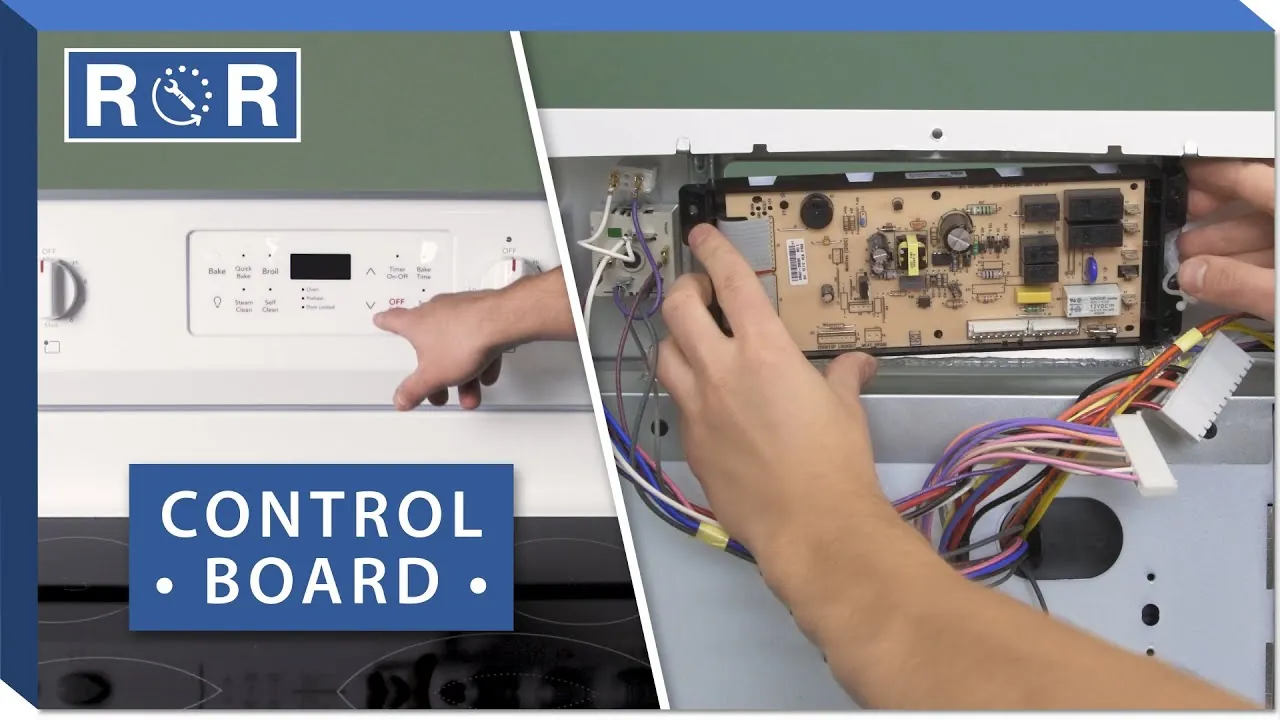
A fix ranges from a two-minute breaker reset to a full board replacement, and the effort depends on which cause you have. The breaker reset costs nothing but your time. A board or panel replacement costs more than a service call, and the part is the bigger share of that.
If you’re handy and the part is simple, some people replace a control board themselves using the model number and a video. But for most home users, the honest answer is that this is a technician job. You’re paying for the diagnosis, the part, and the labor, and the part price swings widely between Kenmore models.
To get a real number, write down your model number and call two local appliance repair shops. Ask for a quote that separates the part from the labor. Compare the total repair cost against a new oven before you decide — on an old oven, a board replacement can approach the price of a basic replacement.
Frequently asked questions
Why is my Kenmore oven display blank?
A blank display is usually a power problem, not a dead board. Check the breaker first — reset it fully to OFF, then ON. If the outlet works and the breaker holds but the display stays dark, the control board is the likely cause. That needs a technician to confirm.
Can I reset my Kenmore oven control board myself?
Yes, you can try a soft reset. Unplug the oven or switch off its breaker for about 1 minute, then restore power. This clears a locked or frozen board. It won’t fix a board that’s truly failed, but it’s a safe first step before you call anyone.
How long does a control board replacement take?
A technician usually finishes in about 30 to 60 minutes, assuming the correct part is on hand. If the part has to be ordered, add a few days to a week for delivery. The time depends on your model and whether the part is in stock.
Is it safe to use the oven with a bad control board?
No. A faulty board can cause the oven to heat when you don’t want it to, or fail to shut off. Unplug the oven or switch off its breaker until it’s repaired. Don’t keep using an oven whose controls behave unpredictably.
What happens if I ignore a dead control board?
The oven simply won’t work, and ignoring it’s safe as long as the power stays off. The risk is if the board fails in a way that leaves a heating element on. If you smell heat or see the oven warming with the display off, cut power at the breaker right away.
Does it matter which Kenmore model I have?
Yes, it matters a lot. Control boards and touch panels are model-specific, so the right part depends on your exact model number. Find it on the plate inside the door frame or on the back, and use that number to look up the part.
Can a power surge kill my oven control board?
Yes. A surge from a storm or an outage can damage the board’s electronics, and this often shows up as a board that’s dead right after the event. A whole-home surge protector can reduce the risk, but it won’t stop every surge.
How much does a new control board cost?
It varies widely by model, so there’s no single number. The part is usually the larger share of the repair, with labor on top. Check your model number on Kenmore’s parts page for the exact part price, then compare it against the cost of a new oven.
Conclusion
A dead Kenmore oven control board is rarely the first thing to blame. Check the breaker and the outlet before you spend anything, and let a technician handle anything behind the housing. That order saves you money and keeps you safe.