
On most Frigidaire dishwashers, flashing lights mean the control has locked out and stopped the cycle — a fault code, not a random glitch. It’s safe to keep using the machine as long as you see no water on the floor and smell no burning. Open the door, find the tech sheet, and count the flashes.
What your Frigidaire dishwasher lights are flashing
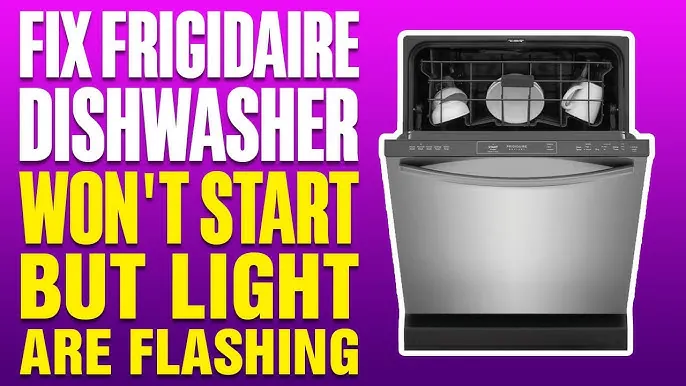
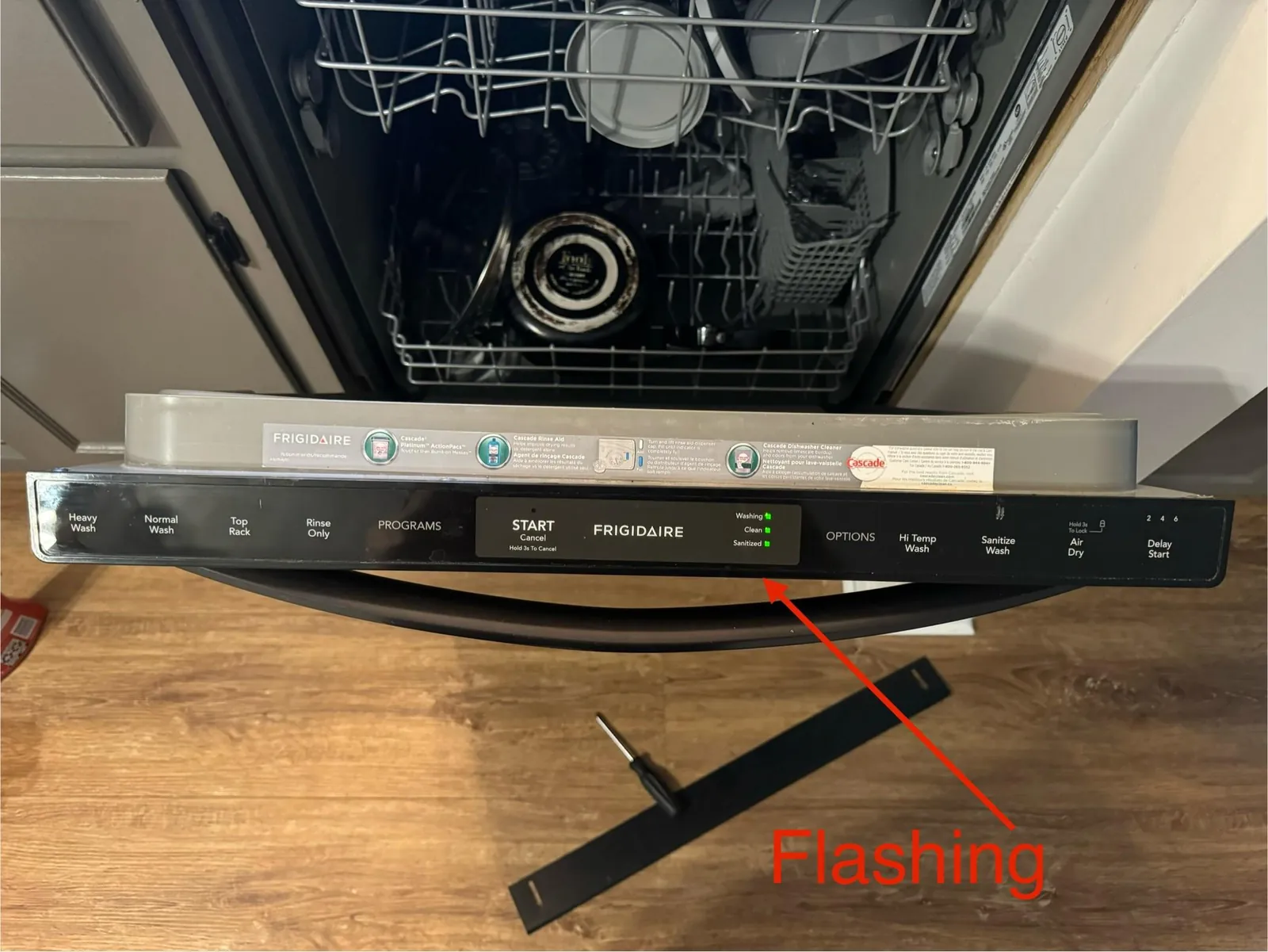
The light pattern is the machine’s only way to talk. Frigidaire builds these codes into the control board, and the exact meaning sits on a tech sheet — a paper card tucked behind the kick plate or stuck to the inner door frame. Pull it out before you do anything else.
Count the flashes, then match them below. If your model has a digital display, the code shows as a letter and number instead, like “i20” or “i40”. The same list applies.
| What you notice | What it usually means | What to do first |
|---|---|---|
| All lights flash together, nothing runs | Control lock or a power glitch | Hold the lock button 3 seconds, then cut power at the breaker for 60 seconds |
| Lights flash in a repeating count | A stored fault code | Count the flashes and read your tech sheet |
| Cycle starts, then lights flash mid-wash | Water not draining | Check the drain hose and disposal knockout plug |
| Lights flash with standing water inside | Clogged filter or drain pump | Pull the filter and clean it |
| Lights flash and the door won’t latch | Door latch not engaging | Check for a dish blocking the latch strike |
| Lights flash right after you press Start | Door not fully closed | Push the door until you hear the click |
| Lights flash only on one side | A stuck key on the touchpad | Dry the panel and try again |
| Lights flash after a power cut | Control needs a reset | Breaker off for 60 seconds, then back on |
The first row is the most common one by far, and it’s also the easiest to fix. Try that before you assume the worst.
The control lock is on
Holding the lock button by accident is what causes most of these calls. Frigidaire puts a child lock on the control panel, and it activates when someone leans on the panel or wipes it down with a cloth. The panel then flashes every light and ignores every button you press.
Confirm it in under a minute: press and hold the button marked Lock or Control Lock for 3 seconds. On models without a labeled lock button, hold Heated Dry or Sanitize instead — the tech sheet names the exact one for your model.
If the lights stop flashing and the panel responds, that was it. If nothing changes, cut power at the breaker for 60 seconds and restore it. The control reboots and clears the lock.
One thing trips people up here. On some models the lock re-engages by itself a short time after you release the button, so the panel looks dead again minutes later. That isn’t a new fault. Unlock it once more and watch whether the panel stays live with your hands off it.
The sign it worked: the panel goes dark, then lights up normally when you press a button. If the same lights flash again within a minute with no one touching the panel, the lock isn’t your problem — move to the next section.
Water isn’t draining out
A dishwasher that can’t push water out will flash its lights and stop mid-cycle, because the control won’t run a wash it can’t finish. Food debris, grease and broken glass collect in the filter and the drain pump, and the water sits there until you clear it.
Check it without tools: open the door and look at the bottom. Standing water above the filter means a drain problem, not an electrical one. Pull the lower rack out, twist the filter counterclockwise, and lift it. Rinse it under warm water and use a soft brush on the mesh.
While the filter is out, shine a light into the sump. Any glass shards or bones down there need to come out by hand — never with a screwdriver, which cracks the pump housing.
If the filter is clean and water still sits, check the air gap on the sink or the disposal knockout plug. A new garbage disposal ships with a plug still in the dishwasher port, and that plug blocks every drop.
The sign it worked: the machine drains within about 2 minutes of the final rinse, and no water remains at the bottom when the cycle ends.
A stuck key on the touchpad
A touchpad that stays pressed sends a constant signal, and the control reads it as a fault. This one looks identical to the lock problem from the outside, so here’s how you tell them apart: with a control lock, the panel ignores your presses. With a stuck key, one button responds while the rest stay dead, or the machine beeps on its own.
Dry the panel completely with a soft cloth. Moisture under a membrane keypad bridges the contacts and holds the key down. On some Frigidaire models, a small amount of water in the vent area does the same thing.
Don’t press harder to test it. A stuck key is already closed, so leaning on it changes nothing and can crack the membrane over the contact. A light press tells you everything.
If drying doesn’t help, cut power at the breaker for 5 minutes. That’s longer than the lock reset, and it lets the control board capacitors discharge fully.
The sign it worked: every button responds to a light press, and no beeping happens with your hands off the panel. If one button still acts pressed after a full power cycle, the touchpad itself has failed and needs replacing — that’s a part swap, not a repair you can patch.
Before you order that part, check the ribbon connector where the touchpad meets the control board. A connector that has worked loose gives the same one-key-stuck reading, and reseating it costs nothing. If the machine is under a service plan, call it in rather than opening the panel yourself.
When to stop and call a technician
Stop and call a qualified appliance technician the moment you see any of these:
- Water on the floor around the base. This points to a failed seal or a cracked tub, and running the machine again can damage your flooring and cabinets.
- A burning smell or scorched wiring at the control panel. That’s an electrical fault with real fire risk. Cut power at the breaker and leave it off.
- Lights flash after you’ve reset power twice and cleaned the filter. The fault is inside the control board or the pump, both behind the housing.
- The machine trips the breaker when you start a cycle. A shorted heating element or pump motor is the likely cause, and both are live-wire repairs.
- Repeated codes for the same fault after two full resets. Something is failing, not glitching.
Inside the door and under the base, a capacitor can hold a lethal charge even with the machine unplugged. Testing the control board, the drain pump, the heating element or the wiring harness needs a multimeter, a service manual and training — that’s technician work, and doing it yourself can void your warranty. If your machine is still under warranty, call Frigidaire service first so the repair stays covered. You can find the current contact number on Frigidaire’s official support page.
Frequently asked questions
Why are my Frigidaire dishwasher lights flashing?
The control has stored a fault code and stopped the cycle. The most common trigger is the control lock being switched on by accident, which makes every light flash and every button go dead. Hold the lock button for 3 seconds to clear it. If that doesn’t work, count the flashes and check your model’s tech sheet for the code.
Can I still run my Frigidaire dishwasher with the lights flashing?
No — the control has locked the cycle, so pressing Start won’t do anything. It’s safe to leave the machine plugged in as long as there’s no water on the floor and no burning smell. If you see either of those, cut power at the breaker and don’t run it again until a technician looks at it.
How long should I cut the power to reset it?
Cut power at the breaker for 60 seconds to clear a control lock or a power glitch. For a stuck touchpad key, leave it off for 5 minutes so the control board fully discharges. Restore power and watch the panel. If the same lights flash again within a minute with no one touching it, the reset didn’t fix the underlying fault.
How do I read the flashing light code on my Frigidaire?
Count the flashes in one repeating sequence, then find the tech sheet for your model. It’s a paper card behind the kick plate or on the inner door frame. The sheet lists each flash count and what it means. On models with a digital display, the code shows as a letter and number, like i20 or i40.
Is it safe to keep using it if only one light flashes?
It depends on which light. A single flashing light with the machine still running usually means a cycle is paused or the rinse aid is low — that’s fine to keep using. A single light flashing with the machine stopped means a stored fault, and running it again can spread the problem. Check the tech sheet before you start another cycle.
What happens if I ignore the flashing lights?
The machine stops mid-cycle and leaves water sitting in the tub. Over days, that standing water grows bacteria and starts to smell. Ignoring a drain fault long enough can burn out the drain pump, which turns a filter cleaning into a parts replacement.
Does it matter which lights are flashing?
Yes — the pattern is the code. All lights flashing together points to a control lock or a power glitch. Lights flashing in a repeating count points to a stored fault code. Lights flashing only on one side points to a stuck key on the touchpad. Each one has a different fix, so match the pattern before you touch anything.
How often should I clean the filter to prevent this?
Clean the filter regularly if you run the dishwasher daily, and more often if you scrape heavy grease or bones into it — how often depends on use, so check your owner’s manual for the schedule. A clogged filter is a common cause of drain faults on these machines. Rinse it under warm water and check the sump for glass while it’s out.
Conclusion
Pull the tech sheet first, count the flashes, and match the pattern before you touch a single button. Most of these fixes cost nothing and take under 5 minutes. The ones that need a technician are the ones where water, burning or repeated codes show up — and at that point, the smart move is to stop and call.